
This SEO checklist is a working audit for 2026: the quick list covers the things that matter most, and the full checklist below gives you the deeper pass across setup, keyword research, technical SEO, on-page SEO, content quality, links, local SEO, AI search, and measurement.
Use it in order the first time. After that, jump straight to the section causing the most damage. SEO sounds mystical until you find the three broken things everyone has been politely ignoring.
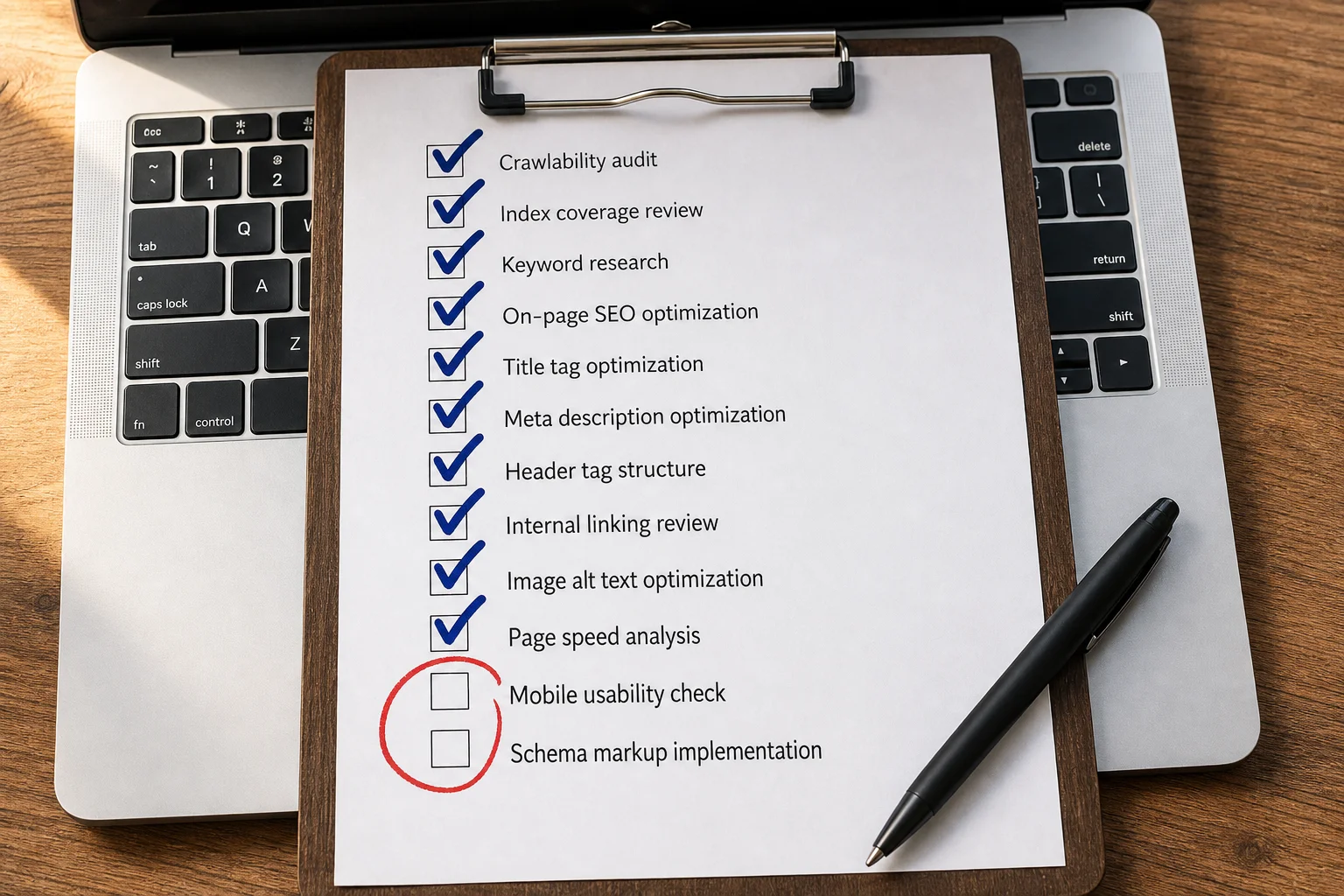
Quick SEO Checklist
- Google Search Console is set up and your site is verified.
- GA4 is installed and tracking organic conversions.
- Google can crawl, render, and index your key pages.
- Your XML sitemap is submitted and only includes URLs you want indexed.
- Robots.txt is not blocking important pages, assets, or crawlers by accident.
- Core Web Vitals are in Google’s good range: LCP under 2.5s, INP under 200ms, CLS under 0.1.
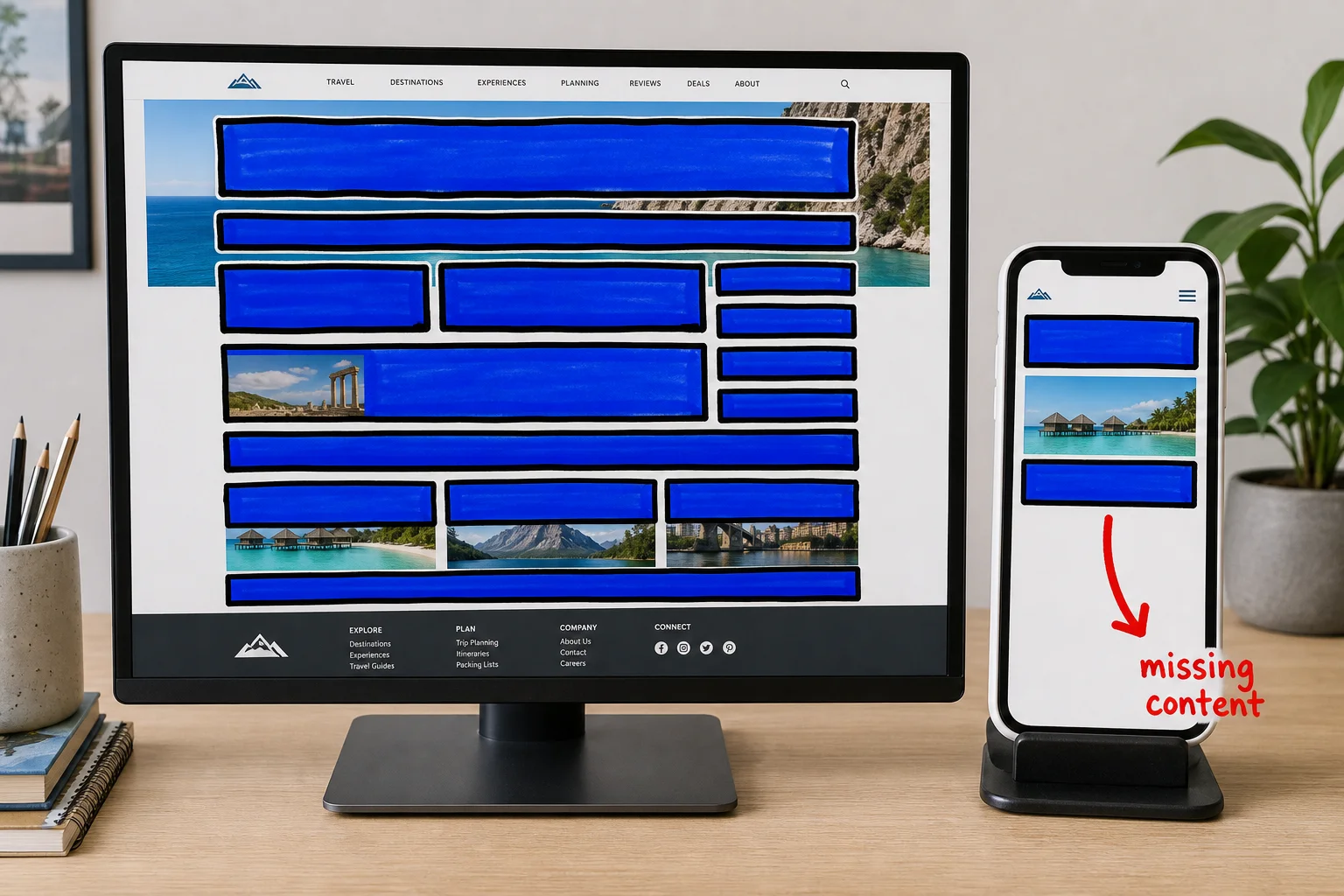
- Your mobile pages contain the same primary content and structured data as desktop.
- Every important page has a unique title tag, meta description, and H1.
- Each target keyword has one clear, dedicated page.
- Pages match search intent: informational queries get useful guides, transactional queries get product or landing pages.
- Thin, duplicate, or low-quality pages are improved, canonicalized, redirected, noindexed, or removed.
- You track rankings, organic traffic, Search Console clicks/impressions/CTR, and conversions monthly.
What’s in this guide
- How to Use and Prioritize This Checklist
- Basic SEO Setup Checklist
- Keyword Research and Search Intent Checklist
- Technical SEO Checklist
- On-Page SEO Checklist
- Content Quality and E-E-A-T Checklist
- Internal Linking Checklist
- Backlinks and Authority Checklist
- Local SEO Checklist
- AI Search and GEO Checklist
- Measurement and Reporting Checklist
- Audit Cadence
- Common SEO Mistakes
- 30-Day SEO Implementation Plan
- SEO Checklist FAQ
How to Use and Prioritize This Checklist
There are more than 60 items below. You do not need to fix all of them today. Most sites have 5 to 10 real problems; the rest is maintenance, polish, and the stuff everyone promises to do next quarter.
Use this priority framework:
| Priority | Timeline | What it means | Examples |
|---|---|---|---|
| P0 | 7 days | Blocking issues | Crawl blocks, indexing failures, broken redirects, analytics not firing |
| P1 | 30 days | High-impact ranking and conversion work | Titles, search intent, content quality, internal links, Core Web Vitals |
| P2 | 60+ days | Growth and expansion work | Link building, local SEO, AI/GEO visibility, advanced schema |
When in doubt, open Search Console and sort by impressions. Pages with meaningful impressions and weak clicks, CTR, or conversions are usually your best P1 opportunities.
Basic SEO Setup Checklist
Search accounts and tracking
- Verify your domain property in Google Search Console.
- Set up Bing Webmaster Tools and submit your sitemap.
- Install GA4 and confirm it is receiving traffic.
- Configure conversion events for forms, purchases, signups, calls, demos, or whatever actually matters.
- Link Search Console and GA4 where useful.
- Create annotations for migrations, redesigns, tracking changes, ad campaign stops, and major content updates.
- Set up rank tracking for priority keywords.
Indexing baseline
- Export indexed URLs from Search Console.
- Export top organic landing pages from GA4.
- Export top queries and pages by clicks and impressions from Search Console.
- Crawl the site and compare discovered URLs against indexed URLs.
- Identify pages with traffic, backlinks, or impressions that are not linked internally.
Mini-walkthrough: Build your SEO baseline in 20 minutes
- Open Search Console and export the last 3 months of pages, queries, clicks, impressions, CTR, and average position.
- Open GA4 and export organic landing pages with sessions, conversions, and revenue or leads.
- Put both exports in one sheet and mark your top 20 URLs by impressions, clicks, conversions, and backlinks.
- Add one note column: keep, improve, merge, redirect, or investigate.
- Start with pages that have impressions but weak clicks, rankings, or conversions. Those are usually faster wins than brand-new content.
CMS and publishing setup
- Confirm every page template can output custom title tags and meta descriptions.
- Confirm every post/page template outputs one H1.
- Confirm canonical tags are editable or generated correctly.
- Confirm XML sitemaps update automatically when pages are published, unpublished, or redirected.
- Confirm redirects can be managed without turning every URL change into a development sprint.
Keyword Research and Search Intent Checklist
Keyword research is not just finding volume. It is deciding which page should exist, what format it should take, and whether the query can turn into traffic or revenue.
Build the keyword map
- Collect keywords from Search Console, Ahrefs, Semrush, Google Keyword Planner, customer interviews, sales calls, Reddit, YouTube, and competitor pages.
- Group keywords by topic and intent, not exact wording.
- Assign one primary intent to each page: learn, compare, buy, troubleshoot, navigate, download, or hire.
- Map one primary topic to one primary URL.
- Flag keywords where multiple existing pages compete with each other.
- Prioritize keywords where you have topical authority, conversion potential, and a realistic path to rank.
Analyze the SERP
- Search the target query and record the dominant page format.
- Note whether ranking pages are checklists, templates, tools, long guides, product pages, category pages, videos, local pages, or forum threads.
- Record visible SERP features: AI Overview, featured snippet, People Also Ask, local pack, video pack, shopping, images, forums, and ads.
- Check whether the top pages satisfy intent immediately or use long explanatory intros.
- Compare depth: checklist item count, major sections, examples, images, templates, FAQs, tools, and proof.
- Decide whether your page needs to be more comprehensive, more concise, more visual, more tool-like, or more specific.
Mini-walkthrough: Match the page to the SERP before writing
- Search your target keyword in an incognito window and note the top 5 organic results.
- Label each result by format: checklist, template, guide, tool, category page, comparison, or video.
- Count what the winners give the searcher: sections, examples, screenshots, templates, tables, FAQs, and downloadable assets.
- Write down what appears above the first organic result: AI Overview, ads, People Also Ask, video, images, local pack, or forums.
- Decide the page format before drafting. If the SERP wants a checklist with a downloadable template, do not publish a thought-leadership essay wearing a checklist hat.
Question and AI research
- Collect natural-language prompts customers ask in ChatGPT, Perplexity, Gemini, sales calls, and support tickets.
- Add question-style subtopics to pages where users need definitions, steps, comparisons, or examples.
- Include concise answer blocks for queries that trigger AI Overviews or featured snippets.
- Cite primary sources for claims that an answer engine might quote.
Technical SEO Checklist
Technical SEO is the foundation. It is also where boring mistakes do the most expensive damage. For a more focused technical audit, use the technical SEO checklist alongside this section.
Crawling and indexing
- Verify Google can crawl every important page.
- Check Search Console for indexing errors, excluded pages, and “Crawled - currently not indexed” URLs.
- Confirm robots.txt is not blocking CSS, JavaScript, images, or important HTML pages.
- Submit a clean XML sitemap in Google Search Console and Bing Webmaster Tools.
- Remove low-value URLs from the sitemap.
- Noindex pages that should not appear in search results: thin utility pages, internal search pages, staging pages, tag archives with no standalone value.
Mini-walkthrough: Find crawl and indexation blockers
- In Search Console, open Pages and export anything under not indexed.
- Separate intentional exclusions from problems. A noindexed thank-you page is fine. A noindexed revenue page is not.
- Test your most important URLs with URL Inspection and confirm Google can crawl and index them.
- Run a crawl with Screaming Frog, Sitebulb, Ahrefs, Semrush, or your crawler of choice.
- Compare crawlable URLs against your XML sitemap. If the sitemap lists junk or misses priority pages, fix that before worrying about advanced SEO.
Canonicals, redirects, and errors
- Every indexable page has a self-referencing canonical tag unless there is a deliberate canonical target.
- HTTP, HTTPS, www, non-www, trailing slash, and non-trailing slash variants resolve consistently.
- Duplicate pages are consolidated, canonicalized, redirected, or rewritten.
- 301 redirects are in place for deleted, moved, or migrated URLs.
- Redirect chains longer than two hops are cleaned up.
- Redirect loops are fixed.
- 404 pages with backlinks or organic traffic are redirected to the closest relevant live page.
- Intentional 404s return a real 404 status code, not a soft 404.
Mini-walkthrough: Check redirects after a migration
- Export the old URL list from your CMS, sitemap, crawl data, analytics, and backlink tool.
- Crawl every old URL and record the final destination and status code.
- Fix any old URL that returns 404, 500, a redirect loop, or a redirect to an irrelevant page.
- Keep redirects to one hop whenever possible: old URL -> new URL.
- Spot-check high-value pages in Search Console for indexing, canonical selection, and query movement after launch.
Core Web Vitals and performance
- Largest Contentful Paint (LCP) is under 2.5 seconds for a good score.
- Interaction to Next Paint (INP) is under 200ms for a good score; INP replaced FID as a Core Web Vitals metric in 2024.
- Cumulative Layout Shift (CLS) is under 0.1 for a good score.
- Templates with failing Core Web Vitals are fixed at the layout/component level, not patched one page at a time forever.
- Images are compressed, correctly sized, lazy-loaded where appropriate, and served in modern formats.
- Render-blocking scripts and third-party tags are reviewed.
- Important pages load acceptably on a mid-range mobile connection, not just on your laptop on office Wi-Fi.
Mobile, HTTPS, and structured data
- The mobile page contains the same primary content as desktop.
- Mobile pages include the same important structured data as desktop pages.
- Navigation, forms, lead magnets, and embedded media work on mobile.
- The entire site resolves over HTTPS with no mixed-content warnings.
- Structured data is implemented where it helps: Article, BreadcrumbList, Product, LocalBusiness, Organization, FAQ, or HowTo as appropriate.
- Structured data is tested with Google’s Rich Results Test.
On-Page SEO Checklist
On-page SEO is where keywords meet intent. If the format does not match what searchers want, prettier copy will not save it.
Title tags and meta descriptions
- Every indexable page has a unique title tag.
- The primary keyword appears naturally near the front of the title tag when possible.
- The title tag promises the page format accurately.
- Meta descriptions are unique, specific, and written to earn clicks.
- High-impression, low-CTR pages in Search Console get rewritten titles and descriptions first.
Mini-walkthrough: Rewrite a title tag for CTR
- In Search Console, filter to one important page and sort queries by impressions.
- Pick the query with strong impressions and weak CTR, then look at the current SERP.
- Note what the top results promise: year, count, template, examples, free tool, checklist, guide, pricing, or comparison.
- Rewrite the title to match search intent and add a reason to click: format, specificity, freshness, or outcome.
- Update the meta description to reinforce the promise, then annotate the change so you can compare CTR after a few weeks.
Headings and structure
- Each page has one clear H1.
- H2s and H3s create a scannable outline.
- Headings use the language searchers actually use.
- Long articles include a short table of contents.
- The highest-intent answer or action appears before promotional blocks.
- URLs are short, readable, and relevant to the topic.
Images and media
- Important images have descriptive alt text.
- Decorative images use empty alt text.
- Screenshots are current and legible on mobile.
- File names are descriptive.
- Videos have transcripts or summaries when the content is important for search.
Content Quality and E-E-A-T Checklist
Google’s helpful content guidance and quality rater documentation revolve around experience, expertise, authoritativeness, and trust. E-E-A-T is not a single direct ranking factor, but the signals it reflects matter.
- Every page has a clear purpose.
- The page satisfies the searcher’s main need quickly.
- Content demonstrates first-hand experience where the topic calls for it.
- Author bylines and bios are present on articles, with credentials where relevant.
- Important claims cite authoritative sources.
- Outdated information is updated or removed.
- Thin pages are improved, merged, redirected, noindexed, or deleted.
- Cannibalizing pages are consolidated so one URL owns the topic.
- Contact information, company information, refund policies, and trust signals are easy to find where relevant.
- AI-assisted content is fact-checked, edited, and made useful before publishing.
Mini-walkthrough: Refresh a thin or slipping page
- Pull the page’s top queries from Search Console and compare them against the current headings.
- Search the primary query and list what the winners include that your page does not.
- Add missing sections only when they help the searcher. More words are not a strategy; useful coverage is.
- Replace generic advice with examples, screenshots, data, source citations, or first-hand notes from doing the work.
- Update the date only after the content is actually refreshed. Cosmetic freshness is a short-term trick and a long-term trust problem.
Internal Linking Checklist
Internal links are one of the highest-leverage SEO fixes because you control them.
- Every important page is linked from at least one relevant page.
- Priority pages are reachable within a few clicks from the homepage or a major hub.
- New posts are linked from older related posts.
- Old posts link forward to newer, better resources.
- Anchor text is descriptive and natural.
- Orphaned pages are linked, redirected, noindexed, or removed.
- Navigation and footer links point to pages that still matter.
- Broken internal links are fixed or redirected.
Mini-walkthrough: Add internal links to a priority page
- Choose one page you want to strengthen.
- Search your site for related phrases using
site:yourdomain.com "target topic"orsite:yourdomain.com "target keyword". - Open the best 5 to 10 pages and add links where the recommendation is genuinely useful.
- Use descriptive anchor text. “SEO checklist” beats “click here” and “this post.”
- Link back out from the priority page to supporting resources so the cluster feels intentional, not one-way and needy.
Backlinks and Authority Checklist
Links still matter. The trick is earning links from real, relevant sources instead of manufacturing weird internet confetti.
- Pull your backlink profile from Search Console, Ahrefs, Semrush, or another link index.
- Identify your strongest referring domains.
- Identify 404 URLs with inbound links and redirect them to the closest relevant live page.
- Reclaim unlinked brand mentions where reasonable.
- Flag obvious spam patterns, link networks, irrelevant low-quality domains, and manipulative paid links.
- Use rel=“sponsored” or rel=“nofollow” for paid, sponsored, or affiliate links when appropriate.
- Create link-worthy assets: original data, templates, tools, calculators, research, benchmarks, or definitive guides.
- Pitch relevant journalists, newsletter writers, partners, and industry publishers.
- Review competitors’ backlinks for realistic link opportunities.
Local SEO Checklist
Skip this section if your business has no physical location or local service area.
- Claim and verify your Google Business Profile.
- Complete business name, address, phone, hours, categories, services, photos, and website URL.
- Keep name, address, and phone number consistent across your site, Google Business Profile, and major directories.
- Add unique location pages for each real location or service area.
- Include local proof: photos, reviews, team details, nearby landmarks, case studies, and service-area details.
- Ask for reviews consistently and respond to them.
- Add LocalBusiness schema where appropriate.
- Build citations in relevant directories and local industry resources.
AI Search and GEO Checklist
AI Overviews and answer engines pull from pages they can crawl, understand, and trust. This overlaps heavily with classic SEO, but the work is more specific than “write helpful content and hope the machines notice.”
The goal is not to stuff “AI” into your headings. The goal is to make your page easy to parse, easy to cite, and clearly worth trusting.
Crawler access and policy
- Confirm AI crawlers can access your site if you want visibility in AI search surfaces.
- Keep robots.txt decisions intentional for crawlers such as GPTBot, ClaudeBot, PerplexityBot, OAI-SearchBot, and Google-Extended.
- Document which AI crawlers are allowed, blocked, or limited, and why.
- Confirm your important pages are not hidden behind scripts, consent gates, forms, or blocked assets.
- Make sure canonical tags, redirects, and noindex rules are not accidentally telling answer engines to ignore the page.
Answer extraction
- Put clear, direct answers to common questions early in your content.
- Use structured content: clear headings, short paragraphs, lists, tables, and examples.
- Add definition-style answers for “what is,” process-style answers for “how to,” and comparison tables for “best,” “vs,” and “alternative” queries.
- Keep important facts near the relevant heading instead of burying them three paragraphs later.
- Use descriptive table headers and list labels so an answer engine can understand the page without guessing.
Trust and citation signals
- Cite primary sources when making factual claims.
- Make authors, brand entities, products, and topical focus clear across the site.
- Add FAQ or HowTo sections only where they genuinely help the user.
- Include author bios, review dates, company details, and links to supporting resources where trust matters.
- Add original examples, screenshots, templates, or data so the page is not just a reshuffled version of the SERP.
- Keep claims narrow enough to verify. “This fixes every SEO problem” is noise. “This helps separate ranking loss from CTR loss” is useful.
AI visibility monitoring
- Monitor whether your brand appears in ChatGPT Search, Perplexity, Gemini, Google AI Overviews, and Bing Copilot.
- Track whether competitors are being cited for queries where you used to win clicks.
- Save screenshots or exports of AI answers for priority queries once a month.
- Record which sources are cited, which page formats are cited, and what wording the answer engine repeats.
- Update pages when competitors are cited because they provide a clearer answer, better structure, newer data, or stronger proof.
AI citation tracking is still emerging. Treat it as a useful manual check, not a perfectly standardized reporting channel.
Mini-walkthrough: Run a monthly AI visibility check
- Pick 10 prompts that matter to your business: 5 informational, 3 comparison, and 2 purchase-intent.
- Run them in ChatGPT Search, Perplexity, Gemini, Google AI Overviews, and Bing Copilot.
- Record whether your brand appears, whether your URL is cited, and which competitors are cited instead.
- For each competitor citation, note the reason: clearer answer, stronger brand, fresher data, better table, more authoritative source, or better topical fit.
- Update your page with the missing proof or structure. Do not copy the answer. Improve the page so it deserves to be the source.
Measurement and Reporting Checklist
If you cannot separate ranking loss, demand loss, CTR loss, and tracking loss, you cannot diagnose SEO. You are just staring at a line chart and assigning it feelings. The broader planning layer lives in our SEO strategy guide.
Google Search Console
- Track clicks, impressions, CTR, and average position by query.
- Track the same metrics by page.
- Compare month over month and year over year to account for seasonality.
- Segment brand and non-brand queries.
- Segment pages that were migrated, rewritten, redirected, or removed.
- Watch for queries where impressions are stable but clicks dropped. That usually points to CTR or SERP layout changes.
- Watch for queries where average position dropped. That usually points to ranking loss.
- Watch for queries where impressions dropped across stable rankings. That can point to demand decline.
GA4 and business reporting
- Confirm GA4 is collecting data correctly.
- Segment organic search, direct, referral, paid search, paid social, and email traffic.
- Track organic conversions, not just sessions.
- Check landing page performance for organic traffic.
- Compare organic revenue or lead quality, not only traffic volume.
- Annotate migrations, redesigns, tracking changes, content updates, and campaign stops.
Mini-walkthrough: Diagnose an organic traffic drop
- Start in Search Console, not GA4. Search Console separates impressions, clicks, CTR, and position.
- Compare the affected period against the previous period and the same period last year.
- Segment by page and query. Site-wide averages hide the page that actually broke.
- If impressions are stable but clicks fell, investigate CTR, SERP features, title tags, and AI answers.
- If impressions fell but rankings stayed stable, demand may be down.
- If average position fell, compare the current SERP against your page and prioritize content, internal links, technical issues, or backlinks based on what changed.
Audit Cadence
“Quarterly” sounds responsible and is also when most people remember SEO exists. Here’s a schedule that holds up in practice.
| Cadence | What to run |
|---|---|
| Weekly | Search Console errors, sudden click drops, priority keyword movement |
| Monthly | CTR review, organic conversions, internal links for new content, backlink monitoring |
| Quarterly | Full technical crawl, Core Web Vitals review, content audit, backlink deep dive |
| After any launch or migration | Full crawl, redirect check, sitemap resubmission, indexing confirmation |
| Annually | Site-wide audit, keyword strategy review, full content refresh pass |
Large sites and e-commerce sites should run technical crawls more often. Small static sites can usually stretch the full audit to every six months unless something changes.
Common SEO Mistakes
Most SEO problems are not mysterious. They are the same handful of errors, repeated with admirable consistency.
- Targeting keywords that do not match what the page actually delivers.
- Publishing content that is technically on-topic but says nothing useful.
- Letting two or more pages compete for the same keyword.
- Blocking important pages or assets in robots.txt.
- Shipping a migration without a redirect map.
- Skipping title tags, headings, and alt text because the content “speaks for itself.”
- Burying important pages with no internal links pointing to them.
- Chasing a perfect PageSpeed score instead of fixing real UX problems.
- Measuring traffic without checking impressions, rankings, CTR, and conversions.
- Treating the checklist as a one-time project instead of a maintenance process.
30-Day SEO Implementation Plan
Week 1: P0 Setup and Technical Fixes
- Verify Search Console and GA4.
- Submit your sitemap.
- Run a full crawl and export 4xx errors, 5xx errors, redirect chains, canonical issues, and noindex pages.
- Fix crawl blocks and indexing issues.
- Check Core Web Vitals and fix the worst template-level problems.
Week 2: Keywords and On-Page Optimization
- Pick 5 to 10 priority keywords with realistic ranking potential.
- Map each keyword to one URL.
- Rewrite weak title tags and meta descriptions.
- Fix duplicate or cannibalizing pages.
- Make sure each priority page matches the current SERP format.
Week 3: Content Quality and Internal Links
- Improve 3 to 5 pages with first-hand examples, screenshots, data, clearer author context, or better structure.
- Add internal links from relevant high-authority pages.
- Refresh outdated sections.
- Consolidate thin pages where needed.
- Add concise answer blocks for important informational queries.
Week 4: Authority, Local, AI Search, and Reporting
- Reclaim broken backlinks.
- Choose one link-worthy asset to create or improve.
- Update Google Business Profile and local citations if local SEO matters for the business.
- Manually check AI search surfaces for your brand and priority topics.
- Build a monthly SEO dashboard with GSC, GA4, rankings, and conversion data.
- Put the recurring audit cadence on the calendar.
What to Do Next
You made it through the checklist. That already puts you ahead of the “we should probably do SEO sometime” crowd.
If you want the guided version, use the downloadable checklist above, then use ClickMinded’s training and templates to turn the audit into an operating process.
SEO Checklist FAQ
What is an SEO checklist?
An SEO checklist is a repeatable list of technical, content, on-page, link, local, AI search, and measurement checks used to improve organic visibility. A good checklist helps you find what is broken, prioritize what matters, and avoid wasting time on low-impact SEO tasks.
How often should I run an SEO checklist?
Run a light SEO checklist every month, a deeper technical and content audit every quarter, and a full checklist after any redesign, migration, CMS change, or major content update. Large sites and ecommerce sites should check crawl, indexing, and template issues more often.
What should I fix first in SEO?
Fix blocking issues first: crawl problems, indexing failures, broken redirects, missing analytics, and pages that cannot be accessed on mobile. After that, prioritize pages with meaningful impressions, weak CTR, slipping rankings, or strong conversion potential.
Is technical SEO more important than content?
Technical SEO and content solve different problems. Technical SEO makes sure search engines can crawl, understand, and index the page. Content makes sure the page deserves to rank and satisfies the searcher. If either one fails, the page usually underperforms.
How does AI search change the SEO checklist?
AI search makes structure, citations, entity clarity, and direct answers more important. You still need classic SEO fundamentals, but you should also check whether answer engines can crawl your content, understand your expertise, and cite your page for important prompts.
How do I know whether traffic dropped because rankings fell or demand changed?
Use Google Search Console. If impressions are stable but clicks dropped, investigate CTR and SERP changes. If rankings fell, investigate page quality, technical issues, links, and competitors. If impressions dropped while rankings stayed stable, search demand may have declined.
Sources
- The Only SEO Checklist You Need — Ahrefs
- The Complete SEO Checklist — Backlinko
- Ultimate SEO Checklist — Semrush
- Beginner’s SEO Checklist — Moz
- Core Web Vitals — Google Search Central
- INP becomes a Core Web Vital — web.dev
- Mobile-first Indexing Best Practices — Google Search Central
- Structured Data Search Gallery — Google Search Central
- Creating Helpful, Reliable, People-First Content — Google Search Central
- Spam Policies for Google Web Search — Google Search Central