Someone on X shows Claude rebuilding their entire site frontend in seven minutes. Another person woke up to 34 new pages their agent wrote and published overnight. A third ran a bulk SEO workflow that took a site from 8 clicks a day to 134.
Meanwhile, you are still doing things the 2012 way. You log into WordPress. You wait for the dashboard to load. You dismiss three plugin update notices. You click into the block editor, which has forgotten your font again. You make a one-sentence change to your homepage headline, which triggers a caching conflict, which breaks the mobile menu, which requires you to open a support thread for a plugin that was last updated fourteen months ago. You wanted to update a headline. You have now spent forty-five minutes doing IT triage on a website that is, technically, just a blog.
You try a different approach. You open Cursor, point it at your WordPress install, and describe what you want. The agent gets confused about where the content lives. It starts touching files that probably should not be touched. You hit undo and close the laptop.
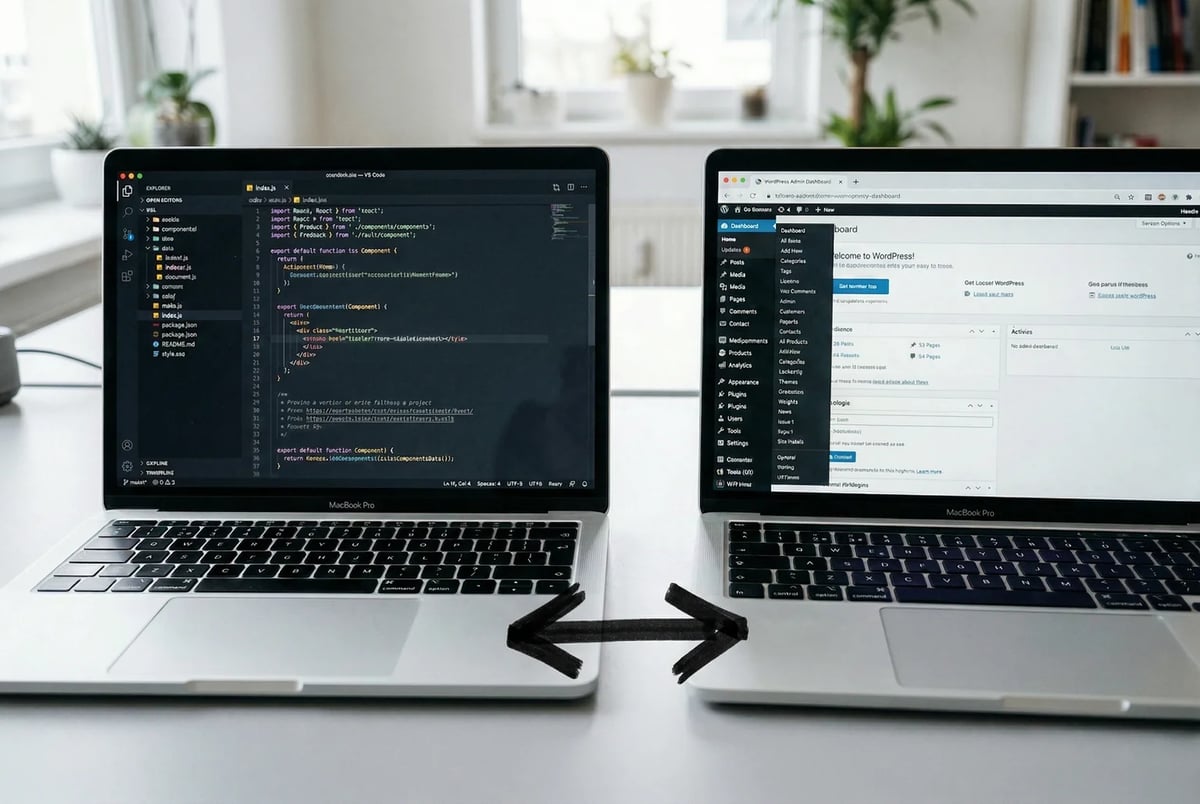
That gap is not a skill gap. It is a structural one. The posts you are seeing come from a specific kind of site built in a way that makes it readable and editable by AI agents without human mediation. Most WordPress sites are not that. This post explains exactly what makes the difference.
The Gap Is Real, and These People Already Crossed It
Here is what is actually happening, with names attached.
Lee Robinson, former VP of Engineering at Vercel and now at Cursor, documented migrating cursor.com off a CMS to raw code and Markdown files. The migration took three days, cost $260.32 in AI tokens, and produced 67 commits. The agent deleted 322,000 lines and added 43,000. That ratio tells you most of what you need to know: the old stack was mostly overhead.
Joost de Valk, who built Yoast SEO and spent years at the center of the WordPress ecosystem, moved joost.blog off WordPress onto Astro hosted on Cloudflare Pages. He spent an evening building a new theme and began migrating content. The person who arguably did more than anyone else to make WordPress viable for SEO decided his own site no longer needed it.
On the smaller-scale end, the X posts you have been seeing are not staged. @SpaceCoastCRE woke up to 34 pages their agent had written and published overnight. @cookey_ub generated a landing page in under three minutes. @spect3ral produced three landing page variants in about five minutes using Claude Code.
None of these workflows touched a CMS admin panel. None required a plugin. The agent read files, wrote files, and committed changes. That is the whole workflow.
The consistent thread across all of them is not which AI model they used or how clever their prompts were. It is what the site was made of. When content lives in Markdown files and pages are built in code, an agent can work on them the same way a developer would. When content lives in a database and pages are assembled by a page builder at render time, the agent has nowhere to start.
So, What Makes a Website “Agent-Native”?
All of the previous examples share an underlying structure. The agent could read what was on the site, and it could write back to it without going through a separate interface. That combination has a name now: an agent-native website.
The term does not appear in any official spec. It is not a W3C standard or a framework feature flag. It describes a property a site either has or does not have, across two dimensions.
Is it AI-readable?
Can an agent understand the structure of your content? On a file-based site, a blog post is a Markdown file with a title, a date, a slug, and body copy sitting right there in plain text. The structure is self-evident. On a database-backed CMS, that same post lives across multiple tables, assembled at request time, and the agent has to reverse-engineer what belongs where before it can do anything useful.
Is it AI-manageable?
Can an agent make a change without going through an admin panel, a plugin API, or a build process it does not control? On a file-based site, editing a post means editing a file. On WordPress, it means authenticating against a REST endpoint, navigating around plugin conflicts, and hoping nothing breaks on save.
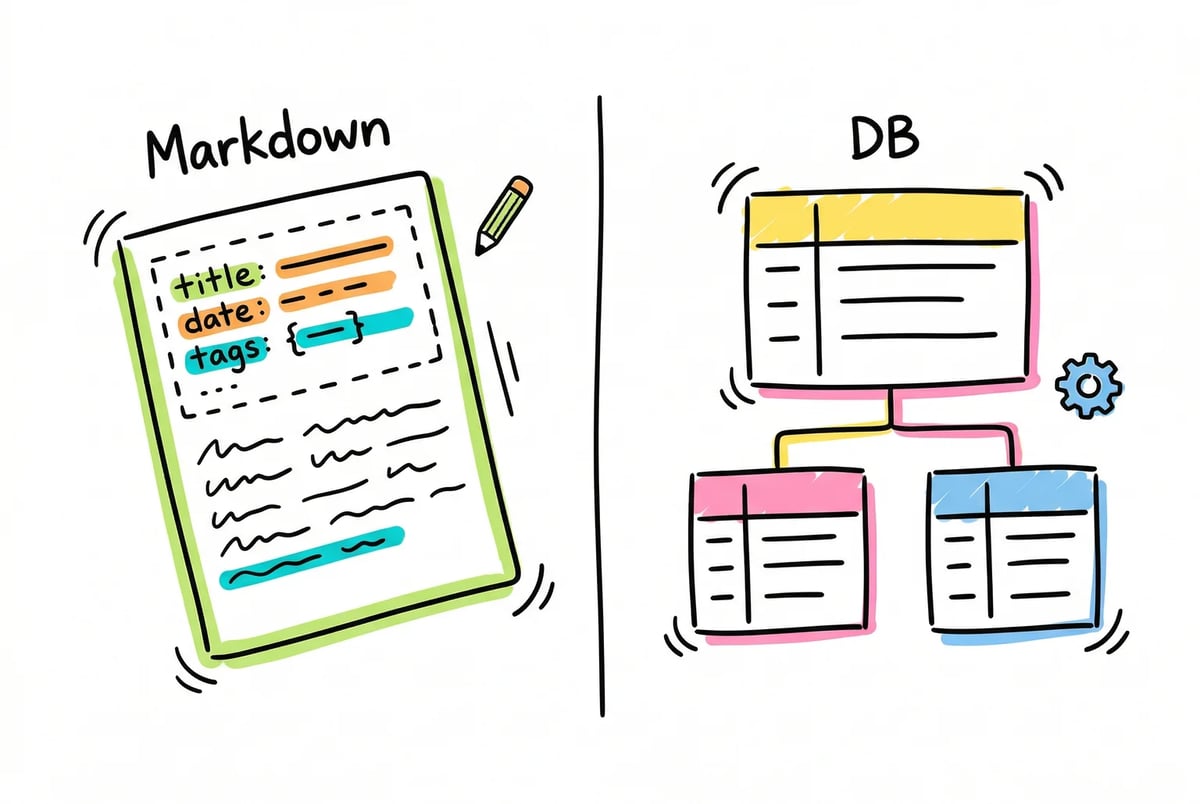
A site can be partially readable but not manageable. It can expose an API that lets an agent fetch content but offers no path for the agent to push changes back cleanly. Both things need to be present for the workflows described above to work.
An agent-native website is one that AI agents can easily read and edit. That’s all there is to it.
The “No-Code” Abstraction That Used to Help You Is Now in the Way
WordPress powers around 42% of all websites. That number exists for a reason. When WordPress arrived, the problem it solved was real: non-developers needed to publish content without touching code. The database, the admin panel, the plugin ecosystem, all of it was scaffolding built to solve that specific problem.
AI agents solve that same problem now. A founder who can describe what they want in plain English to Claude does not need a visual editor to protect them from HTML. The scaffolding that once stood between you and complexity has become the complexity.
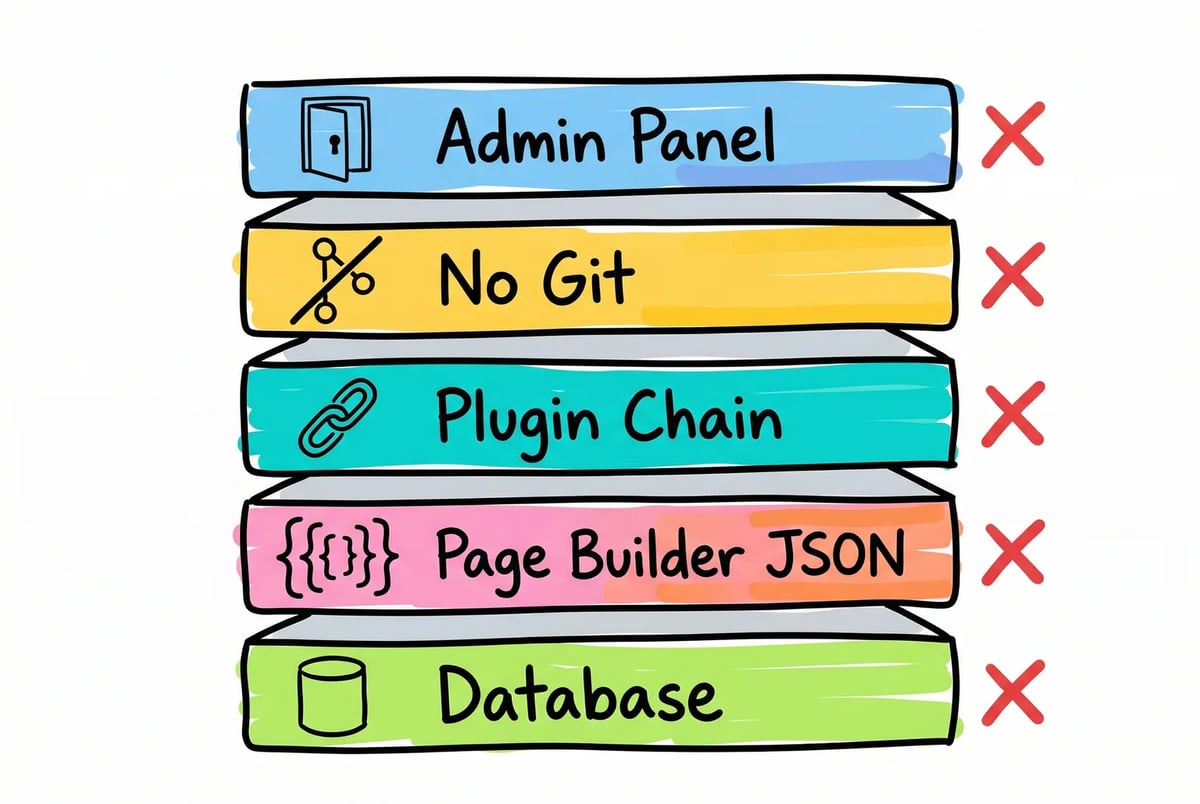
Here is where it gets specific. A WordPress plus page builder stack blocks agents across five distinct layers.
Content lives in a database, not in files.
An agent cannot browse a table structure the way it reads a directory. It has to query, parse, and reconstruct context before it can act on anything.
Page builder output is not HTML.
It is deeply nested shortcode or JSON that encodes layout decisions alongside content. Elementor forms alone can generate nested JSON that breaks integrations even for human developers. Divi stores layout in recursive shortcode structures that require a dedicated parser to decode. When practitioners describe this output as impossible to convert automatically, requiring full rebuilds instead, they are not exaggerating.
Plugins behave unpredictably.
The average WordPress site runs around 21 plugins. An agent making a change to one part of the stack cannot predict what a caching plugin, a security plugin, or an SEO plugin will do in response. Around 92% of WordPress security incidents trace back to plugins, which signals just how loosely coupled the system is.
There is no native version control.
Git has to be bolted on externally, which means an agent making changes has no clean rollback path by default.
The admin panel is a required interface.
Every meaningful operation routes through it. Agents can be scripted to navigate it, but they were not built for that, and the results show.
Joost de Valk, who built Yoast SEO and spent years shaping the WordPress ecosystem, moved his personal site to Astro on Cloudflare Pages. John O’Nolan, who founded Ghost as a direct response to WordPress’s complexity, did the same. These are not outsiders criticizing a system they never used. They are people who built careers on it.
The Anatomy of an Agent-Native Website
An agent-native website has five components that tend to travel together. Content lives in Markdown or MDX files with front matter at the top. Pages are built in code, not assembled in a visual editor and serialized into JSON. The whole thing is version-controlled in Git, so every change is reversible and auditable. It deploys to static hosting, typically Cloudflare Pages.
And if humans need a writing interface, a lightweight Git-backed CMS sits on top of the files rather than replacing them. This is important for non-technical users. An agent-native site does not require everyone to write in a code editor. Tools like Decap CMS, Tina CMS, Keystatic, and Sveltia CMS all provide a familiar editing interface while writing directly to Markdown files in a Git repo. The database is gone. The admin panel as a mandatory chokepoint is gone. The editor experience stays.
What the agent sees in either case is a plain file it can read, edit, and commit. No reverse-engineering required.
This is the setup ClickMinded moved to after migrating 209 blog posts, 33 lead magnets, and dozens of landing pages off WordPress. The migration itself is documented there if you want the full account of what the process actually involved.
This Setup Is Right for Some Sites and Wrong for Others
An agent-native website fits content and marketing sites well. Blog-driven brands, SaaS marketing sites, small business sites, portfolio sites, documentation. If the primary job of the site is to publish content, attract search traffic, and convert visitors, the file-based architecture works in its favor.
It does not fit every situation. WooCommerce stores with product databases, inventory management, and order processing have real dependencies a static file system cannot replicate. Web applications with user accounts, dashboards, or role-based content need a database by definition. Sites with formal publishing approval chains, where legal or compliance teams must sign off before anything goes live, also tend to need the CMS infrastructure that was built for exactly that workflow. For those cases, WordPress or a purpose-built CMS is the right call, not a workaround.
The mismatch that causes the most trouble is the content site that outgrew its original setup and added WooCommerce for one product, a membership plugin for a gated PDF, and a form builder for a lead magnet. Each addition made sense at the time. Collectively, they move the site into the category where migration becomes a genuine architectural project rather than a content conversion. That does not mean migration is impossible. It means the scope is different.
If your site is primarily a publishing surface, the agent-native approach fits. If it is an application that also has a blog, the calculus changes.
If Any of This Sounds Familiar, Here Is What to Do Next
If your site falls into the good-fit category and you want to see exactly how a migration from WordPress works in practice, the ClickMinded migration playbook walks through how we moved 209 blog posts, 33 lead magnets, and dozens of landing pages off WordPress. The decisions, the tradeoffs, the things we would do differently. No pitch, just the process.
If you want someone to handle the migration for you, ClickMinded’s agent-native website service covers content migration, page rebuilds, redirects, and the full Astro plus Cloudflare Pages setup. The goal is a site your agents can actually work with, without you having to become an Astro developer to get there.