
At ClickMinded, we’re a team of two. AI agents handle about 95% of our day-to-day marketing and operations work, and they help us ship over 100 changes a week to our products, sites and campaigns.
Today we’re releasing the course that shows you how to do the same. It’s called AI Agents for Marketers, and it’s free, forever.
Why we made it
If you do marketing for clients or your own business, you’re probably wearing every hat. You’re writing the blog posts, sending the newsletter, fixing the website, pulling the reports, and a lot of other stuff on top of that. With all that work, you probably end up working nights and weekends.
An agent can take a lot of that off your plate. Not by handing you text to copy and paste, like a chat window does, but by doing the whole job: updating the site, drafting the email inside your email tool, publishing the post.
The trouble is that the minute people start talking about terminals, GitHub, APIs and MCP, it sounds like you’re in over your head. If you feel like you’re behind, you’re doing fine. We made this course for marketers like you. Every technical word is explained in plain English the first time you need it, and you never write code yourself. You describe the job, the agent does it, and you check its work.
What you’ll have running by the end
The course is built around four hands-on labs. In the first lesson of the labs, you copy a starter website and put it live. Then every lab builds on that same site, so by the end of the afternoon, all of this is running on a site you own.
Lab 1: Website work in minutes, not days
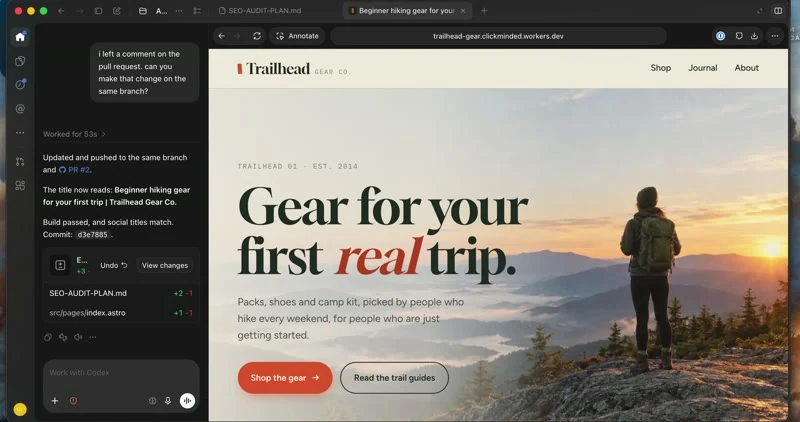
You’ll see how an agent can do in minutes the website work that used to take you days. Your agent runs a full SEO audit of your live site, fixes what it finds on a separate copy, and opens a pull request. That’s a proposed change you review before anything goes live. You approve it, the fixes go live, and you check the score afterwards.
Then you’ll do something bigger: a sitewide fall sale, planned first, previewed, put live, and undone again in one step.
Lab 2: Give your agent real marketing tools
Next, you’ll power up your agent with real marketing tools, so it works like a specialist. You’ll learn what a command-line tool and an API are, in a sentence each, and watch your agent learn a new tool on its own from its instructions.
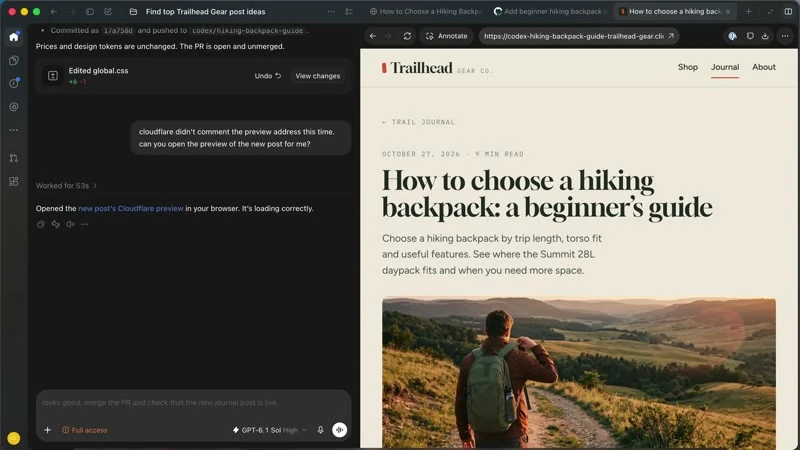
Then it builds a data-driven SEO content plan for your site, picks a post from it, has it researched and written while you steer the brief and the outline, and puts it on your site through the same review you learned in Lab 1.
Lab 3: Teach your agent to work the way you do
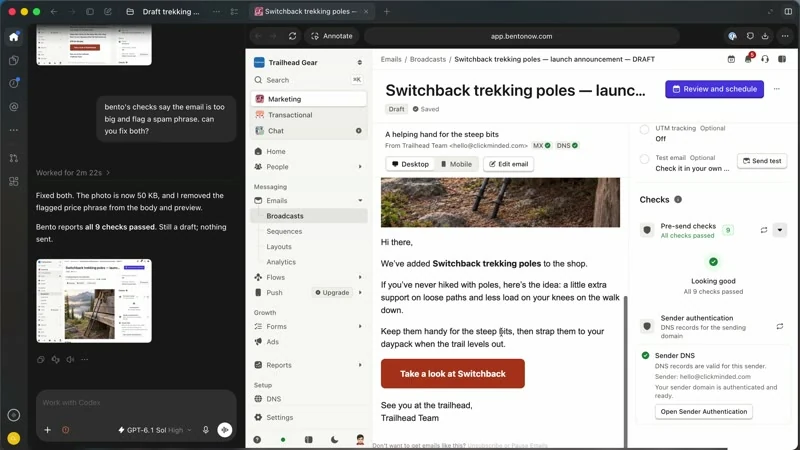
This is the lab that stops you from rewriting everything your agent hands you. You’ll connect your agent to your email tool through MCP, and draft a product email with it, round by round, until it reads the way you’d write it and the email tool’s own checks pass.
Then you’ll turn those rounds into a skill: a short instruction file your agent follows every time. A brand-new chat uses it to draft the next announcement in your style, in one request.
Lab 4: Campaigns on autopilot
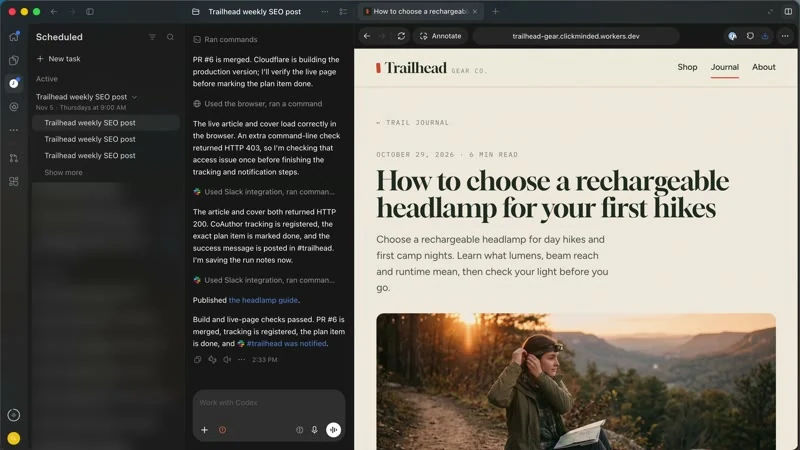
Finally, you’ll put it all on a schedule, so your campaigns keep going every week without you. One scheduled task picks the next post from your plan, has it researched and written, publishes it once its checks pass, and tells you in Slack. Another one drafts your newsletter every Monday and leaves it waiting in your email tool, ready for one click.
You’ll also learn how to live with scheduled tasks week to week: checking their runs, what a stopped run looks like, and how to make a task better.
What else is in the course
Before the labs, four short lessons get you started: what AI agents are and how they differ from the chat window you already use, how an agent works through a job, the five things you’ll see in every lab, and the three working rules that let you hand agents bigger jobs safely.
After the labs, the wrap-up covers what to do when things go wrong, and puts every building block from the course into your first agentic marketing stack, with your first project to hand off. Three bonus lessons cover security, choosing a model, and switching between Codex and Claude Code.
That’s 22 lessons and about three hours of video. Set aside one afternoon.
Who it’s for
The course is for agency owners, freelancers, in-house marketers and business owners who do their own marketing, and who don’t code. The labs are recorded in Codex, which runs in the ChatGPT desktop app, and everything works in Claude Code too. You’ll also need free GitHub and Cloudflare accounts, which you set up in the course.
If you took our Generative AI for Marketers course, this one replaces it.
Start the free course
Create your free ClickMinded account and the course is yours, with no card needed. If you already have an account, it’s waiting in your dashboard under Courses.
Let’s put your AI agent to work.