
You are not behind
If you have been using ChatGPT to brainstorm headlines, clean up drafts, rewrite awkward sentences, summarize call transcripts, or get unstuck when the cursor is blinking at you like a tiny judgmental lighthouse, you are in good company.
That is where most marketers started. A lot of marketers are still there.
And that is fine.
There is weird pressure around AI right now, especially if you work anywhere near marketing. Every week brings another thread, demo, tool, workflow, screenshot, acronym, or LinkedIn post from someone who appears to have replaced an entire department with a laptop and a suspicious amount of caffeine. You open it, see a wall of unfamiliar words, and get the distinct feeling that a secret meeting happened and no one invited you.
No secret meeting happened.
You were doing client work. Getting the campaign out. Fixing the landing page headline because the first one sounded like it had been written by a committee trapped in an airport. You were making the webinar happen, keeping the newsletter moving, answering Slack, reporting on performance, and trying to remember which version of the positioning doc was the real one.
That is marketing.
The common use of AI in marketing has been easy to understand. You ask for words. It gives you words. You ask for ideas. It gives you ideas. Sometimes they are useful. Sometimes they sound like a very confident intern who has never met a customer. Either way, the mental model is familiar: you are still the person doing the work, and AI is sitting beside you as a writing assistant.
That was a reasonable starting point. It still is.
The numbers back this up. AI use in content work is normal enough that it barely counts as unusual. One recent industry survey found that 87% of respondents use AI to help create content, while Ahrefs found that marketers most often use AI for brainstorming, outlining, and improving content. That tracks with real life. Most marketers began with the obvious stuff: “Give me ten angles,” “Make this clearer,” “Turn this transcript into notes,” “Please rescue this paragraph from itself.”
Perfectly sane behavior.

The next step feels stranger because it asks you to change how you think about the work. You are moving from “help me write this” toward “help me carry this process through.” That does not mean handing over judgment. It means giving clearer direction, setting boundaries, reviewing the output, and deciding what ships.
If you have ever managed a junior marketer, freelancer, designer, editor, virtual assistant, or very enthusiastic intern, you already understand the basic shape of this.
You do not say, “Do marketing.”
You say, “Here is the goal. Here is the audience. Here is the source material. Here is the tone. Here is what must not change. Here is where the draft goes. Show me your work before anything goes live.”
That is the posture this guide is going to build from.
You do not need to become a developer to use agents well. You do need a working vocabulary, the same way you need enough design vocabulary to review a landing page, enough analytics vocabulary to question a report, and enough sales vocabulary to write copy that does not make the sales team quietly suffer in a conference room.
Enough vocabulary changes the emotional experience. A scary black box becomes a set of labeled doors. You may not know every detail behind every door, and you do not need to. You need to know which door to open, what to ask for, where the risks are, and how to review the work before it reaches customers.
This guide will give you three things.
First, plain-English vocabulary. Not to impress anyone. Not to cosplay as technical. Just enough that when someone says a tool can connect to your site, read a file, create a draft, or propose a change, you know what kind of thing is happening and what kind of review it needs.
Second, real marketing workflows. We are going to stay close to work you already recognize: changing a page, researching keywords, drafting content, preparing an email broadcast, and turning repeat tasks into reusable processes. The point is Tuesday.
Third, enough confidence to start with low-risk work. Skip the homepage redesign the CEO cares about. Skip the email that goes to 180,000 subscribers at 9 a.m. tomorrow. Start with something contained, reviewable, and boring enough to be safe. Boring is underrated. Boring pays invoices.
There will be new words later. Some of them look like they were named by people who enjoy assembling office chairs without instructions. We will handle them one at a time, inside actual marketing work, with plain translations attached immediately. No vocabulary pop quizzes. No shame spiral. No assumption that you secretly want to spend your weekend becoming “technical.”
You are a marketer learning how to direct a new kind of assistant.
That is a management skill before it is a technical skill. You already know more of it than you think.
Chatbots vs. agents: what actually changes
A chatbot waits for the next message.
An agent can keep working toward a goal.
That is the cleanest practical difference. With ChatGPT in the familiar mode, you ask for a thing: a headline, a rewrite, a summary, a list of objections, a rough outline. You read the answer, copy the useful parts, fix the weird parts, and carry the work into the next tab yourself.
With an agent, the request changes shape. You give it a goal, context, boundaries, and a place to report back. It may plan steps, check source material, compare options, draft, revise against your rules, and prepare something for review.
You are still in charge. The work just has more motion inside it.
A chatbot is like asking a smart assistant sitting next to you, “Can you write me three subject lines?” An agent is like saying, “Review last month’s newsletter, pull the offer from the campaign brief, draft five subject lines in our usual style, flag any claims that need proof, and put the best two options in the campaign doc for approval.”
Same person in charge. Different amount of work being carried.
The technology side has a more formal explanation. AI agents are usually described as systems that can reason through steps, use tools, remember useful context, and act toward a defined goal, while chatbots mostly respond to the prompt in front of them. Microsoft’s guide to AI agents compared with chatbots frames the difference around action, context, and task completion. For marketers, the point is simpler: the agent can move through a workflow instead of only producing a response.
Say you need to update a service page for an agency client. The page is for “B2B SaaS content strategy.” The client has a new positioning doc, three customer quotes from recent calls, and a sales note that prospects keep asking whether the offer includes distribution planning. The page needs to be tightened up before next week’s campaign starts.
The chatbot version looks familiar.
You paste the current page copy into ChatGPT. You paste the positioning doc. You say, “Rewrite this page to better match the new positioning and mention distribution planning.” It gives you a new version. Some of it is good. Some of it has that shiny plastic feeling. It adds a claim about “proven ROI” that the client cannot support, which is exactly the kind of sentence that wanders into marketing copy wearing a fake mustache. You delete it.
Then you open the client notes. You find the quote you wanted. You paste it in. You ask for a revision. You copy the output into a doc. You compare it against the original page. You check whether the SEO title still fits. You open the website editor. You paste the new copy. You preview. You realize the hero section is now too long and wraps badly on mobile. You trim it. You send the preview link to the client.
The chatbot helped. You still drove every step with your hands on the keyboard.

The agent version starts differently.
You do not begin with “rewrite this.” You begin with a brief.
You tell the agent the goal: update the B2B SaaS content strategy page so it matches the new positioning and answers the distribution planning objection.
You give it source material: the current page, the positioning doc, the three customer quotes, and the sales note.
You constrain the work: keep the page structure the same, do not invent proof points, preserve the existing call to action, keep the hero under a certain length, and flag any sentence that sounds like a claim requiring evidence.
You define the review point: prepare a proposed revision and show what changed before anything goes live.
That last part matters. A good agent workflow should give you a reviewable proposal, not a surprise published page sitting on the internet like a raccoon in the kitchen.
Inside the workflow, the agent may compare the current page against the positioning doc, pull the phrases that describe the new offer, identify where the distribution planning objection belongs, draft changes section by section, check the hero length against your limit, and create notes like, “I removed this unsupported claim” or “I used this customer quote in the proof section.” It may keep enough working context to avoid contradicting itself three paragraphs later.
You do not need to watch every internal step like a nervous driving instructor with an imaginary brake pedal. You need the agent to show enough of its work that you can review the decisions that matter.
The old posture is typist-with-AI-assist. You keep asking, copying, pasting, checking, moving, and re-prompting.
The new posture is director and reviewer. You brief the work, constrain the work, review the work, and approve the work.
This is a normal marketing muscle. If you have ever marked up a designer’s first pass, edited a freelancer’s draft, reviewed a media buyer’s campaign setup, or told a junior marketer that “fun and punchy” does not mean “sounds like a cereal mascot,” you already understand the role.
The agent needs direction because open-ended requests create open-ended messes.
“Improve this landing page” is too loose. Improve for whom? Improve what metric? Keep the layout? Keep the CTA? Can it change testimonials? Can it rewrite the offer? Can it add claims? Can it remove sections? Can it touch the pricing language? Can it publish?
A better brief sounds more like this:
“Revise this landing page for startup founders evaluating our bookkeeping service. Keep the existing structure and call to action. Use only the claims in the attached proof document. Make the hero clearer, add one short section addressing month-end close, and suggest changes in review mode. Do not publish or change pricing.”
That is account management with sharper edges.
The quality of the agent’s work depends heavily on those edges. Good constraints tell the agent where creativity is welcome and where it needs to keep its little robot fingers off the glass. You might allow it to rewrite body copy, but forbid changes to legal language. You might let it suggest new subject lines, but require human approval before anything enters an email platform. You might let it group keyword opportunities, but require source links before a content brief is accepted.
You are not trying to learn some secret machine language. You are learning to state the working agreement clearly.
A chatbot asks, “What should I say back?”
An agent asks, in effect, “What should I get done, what am I allowed to touch, and where do you want to review it?”
Your job is to answer those questions before the work begins. That is the new marketer skill: writing good briefs and setting good constraints. Not writing code.
The modern marketing workspace, explained
A lot of agent anxiety comes from vocabulary.
You hear, “The agent opened a PR from a branch in the repo after calling the API through an MCP server,” and your brain does the humane thing. It leaves the room.
Fair.
Most of these words describe familiar work patterns wearing little developer hats: folders, saved versions, review requests, tool connections, reusable checklists. You already have campaign folders, draft docs, approval chains, publishing tools, naming conventions, and that one client folder called FINAL_FINAL_USE_THIS_ONE, which is how civilization ends.
Agentic workspaces use stricter names because the work needs to be traceable. Agents can touch files, call tools, and prepare changes, so the workspace gives those actions places, labels, checkpoints, and review steps.
Recognition is enough at first. When an agent says, “I created a branch,” think, “It made a safe working copy.” When it says, “I committed the change,” think, “It saved a checkpoint with a note.” When it says, “I opened a pull request,” think, “It is asking for review before the change becomes official.”

Here is the marketer translation table.
| Term | Plain-English meaning | Marketing workflow sentence |
|---|---|---|
| Terminal | A text window where you type instructions to your computer or tools. | You might open the terminal to ask an editorial tool to create a campaign draft. |
| CLI | A command-line interface, meaning a tool you operate with typed commands. | A content CLI could run the same blog draft process every Friday with one command. |
| Files and folders | The documents, images, templates, scripts, briefs, and pages that make up the work. | Your agent may edit the pricing page file and reference the campaign brief folder. |
| Local | On your computer or private workspace. | A landing page draft can be changed locally before anyone touches the live site. |
| Remote | Stored somewhere else, usually online. | The official site may live in a remote project on GitHub. |
| Repo | Short for repository, a project folder with memory. | A website repo can hold page copy, templates, images, and a history of approved changes. |
| Branch | A separate work thread inside the repo. | Your agent can create a branch for “update-homepage-hero” while the main site stays unchanged. |
| Commit | A saved checkpoint with a note. | The agent can commit the new headline and CTA with a note explaining the change. |
| Pull request, or PR | A review request for adding branch changes into the main project. | The agent can open a PR so you can review copy before it becomes part of the site. |
| Merge | Accepting reviewed changes into the main version. | After approval, a team member can merge the updated copy into the official project. |
| API | A structured connection that lets one tool ask another tool to do something or return information. | An agent can use an email platform API to create a draft broadcast. |
| MCP | Model Context Protocol, a standard way to connect an AI agent to outside tools and data sources. | An SEO MCP can let an agent fetch keyword or SERP data while building a brief. |
| Skill | A reusable instruction set or workflow an agent can run again. | A “weekly newsletter draft” skill can gather links, follow your format, and prepare a draft. |
Put those words into a normal marketing scenario.
Say you manage a small website for a consulting firm. The founder wants to update the services page because the offer has changed. The site has a page file for the service copy, a folder of testimonials, and shared layout components that control how the page looks.
Those are files and folders. Nothing mystical. If you have kept a launch folder with briefs, creative, exports, and copy docs, you already know the shape of it.
The official website project lives online in a repo. Think of the repo as the project folder plus a memory system. A normal folder remembers what is inside it right now. A repo remembers what changed, when it changed, and why someone said it changed. That history matters when an agent is helping, because you want a trail.
The agent works locally when it makes changes in a private workspace separate from the live site. Local is the draft table. Remote is the shared office shelf. The remote repo is where the team can see the official project and review proposed changes.
Before editing the services page, the agent creates a branch. The branch lets the agent try the update without scribbling directly on the main version of the website. If the draft is bad, awkward, off-brand, or accidentally says your firm offers “strategic snack architecture,” you can throw away the branch and keep your dignity.
When the agent finishes the first pass, it makes a commit. A commit is a checkpoint with a note attached. In marketing language, it is closer to “saved a meaningful draft version” than “saved every random keystroke.” A good note might say, “Update services page positioning and add distribution planning section.”
Then the agent opens a PR, short for pull request. GitHub and Atlassian describe pull requests as proposals to merge changes from one branch into another. The marketer translation is cleaner: a PR is the review packet. It says, “Here are the changes. Please review them before they become official.”
Merge happens after approval. The branch changes become part of the main project. The order matters: draft, review, approve, merge. That should feel familiar if you have ever sent an email campaign to a client before scheduling it.
The terminal and CLI sit beside this workflow as a different way to operate tools. A terminal is the text window. A CLI is the tool that responds to typed instructions inside it. You do not need to decorate your laptop with stickers and start saying “ship it” at brunch. You only need to recognize that typing one instruction can be faster than clicking through six screens.
For orientation, this command asks, “What folder am I in?”
pwdAnd this asks, “What files are here?”
lsThat is enough terminal exposure for the moment. Please breathe normally.
APIs and MCPs are about tool access. An API is a structured doorway into another product. Instead of an agent pretending to be a human clicking around your email platform, the API gives it an approved way to ask for specific actions, such as “create a draft broadcast” or “add this tag to a subscriber.” The safe marketing version is draft-first: the agent prepares, you approve.
MCP is a newer connector pattern for agents. The plain-English version is “a standard plug that lets an agent reach outside data and tools.” If an agent is helping with keyword research, an MCP can give it access to live SEO data instead of asking it to guess from memory. The agent still needs your brief and your review, but it can work with fresher inputs.
A skill is the repeatable part. If you teach an agent how your agency writes a launch email once, that is a task. If you save the instructions, examples, rules, and review steps so the agent can run the same pattern every month, that is a skill. Marketers should care because recurring work is everywhere: weekly newsletters, monthly reports, content refreshes, webinar follow-ups, product update posts.
The vocabulary sounds technical because technical teams shaped the workspace. The work underneath is familiar: organize the project, make a safe draft, save a checkpoint, request review, approve the change, connect the right tools, and reuse the process next time.
You are walking into a workspace where the labels were written by people who name things like “pull request” instead of “please review my changes.” Annoying, yes. Learnable, absolutely.
GitHub is the approval queue, with a time machine attached
The easiest way to understand GitHub is to stop picturing a black screen full of code and start picturing Google Docs version history.
You know the move. Someone edits the client strategy doc. You click “See version history.” You can see what changed, who changed it, and when. If the new version is worse, you can go back. If the edit needs discussion, you leave a comment. If the doc is ready, someone approves it and the work moves on.
GitHub applies that same idea to a whole project instead of one document.
For a marketer, that project might be a website, a landing page system, an email template library, a content engine, or a folder full of reusable campaign assets. GitHub stores the files, tracks the history, and gives your team a place to review proposed changes before they become official.
That matters when agents enter the room.
An agent can make a lot of changes quickly. That sounds scary if you imagine it editing the live site directly while you sit nearby holding a coffee and whispering, “Please don’t ruin Q4.” GitHub gives the work a safer shape. The agent can make changes in a separate branch, save a checkpoint, and open a pull request for review.
A pull request, or PR, is the GitHub version of sending a draft for approval before publishing.
If you have ever sent a blog post to a client with the message, “Please review before we upload,” you already understand the social logic of a PR. The PR gathers the proposed changes in one place. It shows the difference between the current version and the proposed version. People can comment on specific lines. Someone can request edits. Someone can approve.
Picture a homepage update.
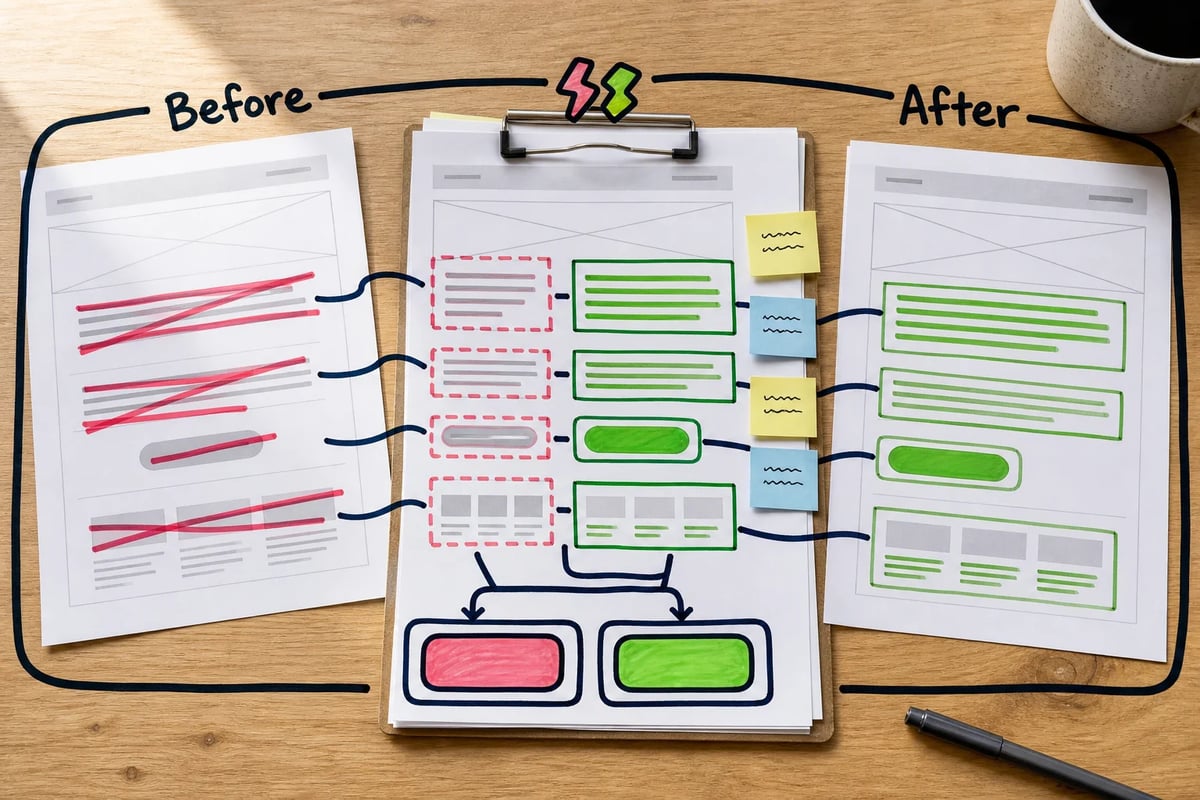
Your agent changes the hero headline, rewrites the subhead, adjusts the CTA label, and adds a new proof point from a case study. In a normal website editor, you may have to hunt around to see what changed. In GitHub, those edits appear as a diff, which is a before-and-after view. Red usually means removed. Green usually means added. It is track changes for project files.
That makes agent work reviewable.
You can inspect the exact sentence the agent added. You can see whether it touched only the homepage copy or wandered into some unrelated template file like a raccoon in a pantry. You can ask for a revision before the change reaches the main version of the site.
GitHub also makes the work reversible. Version history means the project has memory. If a change gets approved and later you realize the old CTA converted better, the team can look back at previous versions and restore what worked. You are no longer relying on someone remembering which Google Doc had the “good” headline or whether the final final final folder was actually final. The history is built into the workspace.
Approval gates add another useful layer. GitHub can be set up so changes reach the main version only after review, approval, or checks. You do not need to know how to configure those settings today. The point is simpler: GitHub can act like a content approval workflow with rules. The agent proposes. A human reviews. The approved change moves forward.
That is why GitHub belongs in a marketer’s mental map.
It is easy to treat GitHub as developer territory because developers use it all day. Fair. They also use laptops, calendars, and Slack, and nobody calls those “developer tools.” GitHub is a place where project changes get stored, reviewed, discussed, approved, and remembered.
For agentic marketing work, that is the point. The agent gets a safe place to work. You get a visible review packet. The team gets a history. The project gets a path back if you need one.
You are learning enough to be a competent reviewer inside the system. That is a smaller job, and it is the job marketers already know: look at the proposed work, judge whether it matches the brief, ask for changes when needed, approve when ready.
The agent can only touch what you hand it
Once GitHub gives the agent a safe place to propose changes, the next question is obvious: how does the agent actually do anything?
It uses tools.
A tool is an approved way for the agent to reach outside the chat window. It tells the agent what it can touch, what it can ask for, and what kind of result it should bring back.
Without tools, an agent can think, write, plan, and critique. Useful, but limited. Give it the right tools and it can check keyword data, run an editorial workflow, draft an email inside your email platform, inspect files, or prepare a website change for review.
The phrase doing all the work there is “the right tools.” You are not giving the agent your whole business and a little hat that says “CEO.” You are giving it specific extensions with specific jobs.

Tool #1: CLI Tool
A CLI tool, or command line interface tool, is a program the agent can run by typing commands. Plain English version: it is a button without the button. Instead of clicking through a web app, the agent runs an instruction in the terminal.
For marketing, that matters when a workflow has repeatable steps. Editorial production is a good example: strategy, research, writing, visuals, and social promotion. A human can manage that by hand. An agent can run the workflow through a CLI if the tool exposes those steps clearly.
CoAuthor by ClickMinded is one example. It is an agent-native editorial workflow system that helps turn a content brief into planned editorial output across strategy, research, writing, visuals, and social threads. The CLI version gives an agent a way to start and retrieve that work from the terminal through the CoAuthor CLI package.
The commands look more intimidating than they are:
coauthor auth login
coauthor project create
coauthor workflow run --target draft --wait
coauthor draft get --format markdown
You do not need to memorize those. The point is that the agent can. You can say, “Create a draft for this keyword brief using our editorial workflow, wait for the draft, then give it to me in markdown.” The agent translates that into commands, runs the process, and brings back the draft for review.
Bonus: Skills
CoAuthor also ships agent skills installable with commands like:
coauthor skills install claude
coauthor skills install codex
coauthor skills install cursor
A skill is a reusable instruction set for an agent. In marketer language, it is closer to a saved operating procedure than a software feature. If your team has a specific way to write comparison posts, product updates, or weekly newsletters, a skill can package that process so the agent does not need the whole briefing ceremony every time. Tiny parade optional.
Tool #2: APIs
APIs are another kind of tool. An API is a structured connection between systems. Plain English version: it is how one app asks another app to do something without a human clicking through the interface.
Email platforms are the easiest marketing example. You already use the app visually. You log in, click “Broadcasts,” paste copy, choose an audience, and save. An API lets an agent perform a defined version of that same action.
The Kit API gives approved outside systems a way to work with Kit data and actions, including broadcasts, subscribers, and tags. For an agentic workflow, the safe pattern is draft-only broadcast creation. The agent can create a draft newsletter from an approved content brief, but a human still reviews, edits, and schedules it inside Kit.
That distinction matters. An API does not mean the agent can do anything. The API call can be scoped. The workflow can say, “Create a draft broadcast, apply this tag if needed, then stop.” That is the marketing version of handing someone a Sharpie and a sticky note, rather than the keys to the building.
Tool #3: MCPs
MCPs are the least familiar term. MCP stands for Model Context Protocol. Plain English version: it is a standard way to plug data tools into an agent so the agent can ask for current information in a predictable format.
SEO makes this painfully concrete. A normal chatbot can guess at keyword ideas based on patterns in its training data. That can be fine for brainstorming, but keyword research needs live data. Search results change. Competitors change. Volumes, difficulty estimates, SERP features, and regional results change.
The DataForSEO MCP Server is an MCP tool for that job. It gives an MCP-enabled agent access to DataForSEO data for SEO research tasks. The open-source TypeScript and Node.js server connects agents to DataForSEO APIs and maps SEO capabilities such as keyword research, SERP data, backlinks, domain analytics, on-page checks, business data, and related analysis into tools the agent can call.
A marketer might ask: “Find low-competition keyword opportunities for a B2B accounting firm in Texas, focused on bottom-of-funnel search intent. Check the current SERP, identify recurring competitors, and group the ideas into content clusters.”
With the MCP connected, the agent can retrieve keyword data, check live search results, compare competitors, and return a structured brief instead of a vibes-based list from memory. The agent still needs your judgment. It may misunderstand intent, overvalue a keyword, or miss a business constraint. But it starts from actual SEO data, which is a much better place to start.
So the stack is practical, not mystical. A CLI lets the agent run a repeatable workflow, like generating an editorial draft through CoAuthor. An API lets the agent ask another app to take a specific action, like creating a draft broadcast in Kit. An MCP lets the agent pull live outside data into its work, like getting keyword and SERP data through DataForSEO. A skill tells the agent how your team wants a recurring task done.
These are extensions with boundaries. They say, “You may touch this system, in this way, for this purpose.” You are still the person deciding whether the work is right.
The guardrails that make agents usable
Agents feel safer when you treat them like any capable assistant with access to real business systems: give them a clear assignment, a safe workspace, limited access, and a review step before anything reaches the public.
That is professional practice. It is why agencies have approval chains, staging links, test emails, version history, and the one person who catches that the client’s name is spelled wrong in the H1 before launch.
1. Work in a branch first.
A branch is a separate copy of your site or project where the agent can prepare changes without touching the live version. If the agent edits a landing page, updates metadata, rewrites a pricing section, or changes a lead magnet form description, those changes should happen in a branch before they get merged into the main version.
Think of it like sending a draft Google Doc instead of editing the homepage while prospects are actively visiting it. The branch gives you a place to inspect what changed, ask for revisions, and reject the work if it misses the brief.
Why it matters: a branch keeps an agent from publishing a half-finished page, broken headline, or off-brand offer directly to your live site.
2. Keep email, ads, and CMS work in draft mode.
Draft mode means the agent can prepare the work, but it cannot send, publish, schedule, or spend money without a human. This is the safest default for marketing systems because the biggest risks are public mistakes: a broken email to 50,000 subscribers, a draft ad with the wrong offer, or a blog post that goes live with internal notes still sitting at the bottom like a tiny crime scene.
Use this sentence in the brief: “Create drafts only. Do not publish, send, schedule, delete, or modify live assets.”
For email, the agent can create a newsletter draft through an API, then stop. You review the subject line, links, segmentation, personalization, compliance footer, and preview rendering before anything leaves the building.
Why it matters: draft mode lets the agent save time on setup and formatting while keeping the final public action with you.
3. Treat API keys and passwords like keys, because they are.
An API key is a password that lets one system talk to another. If you paste it into a random chat, shared document, client Slack thread, or recorded Loom, you may have just handed someone access to your email platform, SEO account, CMS, analytics, or ad account. Delightful little nightmare. Very avoidable.
Environment variables are the plain-English lockbox version. Instead of writing the secret directly into the agent’s prompt or project files, the system stores it somewhere separate and gives the tool a way to read it when needed. The workflow says, “Use the Kit key from the lockbox,” instead of spelling out the Kit key on the page.
For higher-risk systems, use a secrets manager or vault if your tool offers one.
Your rule can be blunt: “Never paste passwords, API keys, tokens, private client data, or full customer lists into an agent chat unless the workspace is approved for that data.”
Why it matters: exposing an API key in a shared chat can give the wrong person access to create drafts, pull subscriber data, or change settings inside a real marketing account.

4. Review before live, every time.
The review step is where marketers earn their keep. Agents can check files, run tools, draft copy, compare keyword data, and prepare changes, but they do not know the client’s politics, the founder’s pet phrases, the offer legal already rejected, or why the word “cheap” is banned from every page because of One Incident in 2019.
Match the review to the risk. For a small metadata rewrite, read the diff and preview the page. For a newsletter, check links, audience, subject line, preview text, merge fields, mobile rendering, and the unsubscribe footer. For a campaign page, check claims, forms, tracking, design, and whether the CTA leads to the right place.
Ask the agent to make review easier: “After you finish, list every file changed, every external system touched, and anything I need to verify manually.”
Why it matters: human review catches the marketing mistakes agents are most likely to miss, especially broken links, wrong audiences, unsupported claims, and copy that is technically accurate but commercially weird.
5. Give the agent a tight scope, including what it must avoid.
Scope is the fence around the job. A good scope says what the agent should do, what it may touch, and what it must leave alone. This reduces wandering, which is when an agent starts “helpfully” improving things you never asked it to improve. We have all worked with that person. Sometimes we have been that person. Growth.
For a site change: “Update the hero copy and meta description on the webinar landing page. Do not change pricing, forms, tracking scripts, navigation, testimonials, or any other page.”
For keyword research: “Use live keyword and SERP data to prepare a brief for one article. Do not write the final article. Do not invent volume numbers. Flag gaps instead of guessing.”
For an email draft: “Create one draft broadcast for review. Do not send, schedule, delete subscribers, update tags, or change automations.”
Why it matters: tight scope prevents an agent from turning a simple copy update into accidental changes to forms, tracking, segmentation, or live campaign assets.
6. Make the agent leave a trail.
Ask the agent to summarize what it did, where it did it, and what still needs review. In GitHub, that trail may be a commit, a pull request, and a visible diff. In an editorial workflow, it may be a draft file plus notes on sources, assumptions, and open questions. In an email workflow, it may be a draft broadcast ID, the audience it selected, and a checklist of fields to review.
You do not need to hover over every keystroke. You need a clear record so you can inspect the work before approval and roll it back if needed.
Why it matters: a clear trail helps you find and fix mistakes before they become public, and it gives clients or teammates a sane way to review agent-assisted work.
The labs that follow are practice runs, not advanced technical tutorials wearing a fake mustache. Each one shows the same safe pattern in a different marketing context: give the agent a clear brief, keep the work contained, review the change before anything goes live, and approve only when you are comfortable. You will see that pattern repeat across a website edit, an SEO and content workflow, and a reusable email skill.
Lab 1: Ship a real site change with an agent
Lab 1 teaches the safest first agent workflow: a small website copy change made on a separate branch, reviewed in a pull request, and approved only when you are ready. You will see how to brief the agent, check the exact diff before anything goes live, and treat the whole process like a normal marketing approval loop instead of a technical stunt.
We’ll start with a boring change.
Please resist the urge to make your first agent workflow a homepage redesign, a pricing page rewrite, and a CRM integration held together with optimism and four browser tabs. Pick something small enough that you can review in five minutes.
A good first change might be a webinar landing page update:
“Update the hero section on the webinar page for our January session. The new headline should be ‘Turn cold traffic into qualified pipeline without adding more ad spend.’ The subheadline should say, ‘Join our 45-minute workshop for B2B marketers who need cleaner targeting, stronger landing pages, and better follow-up from the traffic they already have.’ Change the primary CTA button from ‘Save my seat’ to ‘Register for the workshop.’ Update the meta description to mention the workshop, B2B marketers, and improving pipeline from existing traffic. Do not change the form, tracking scripts, navigation, testimonials, pricing references, or any other page.”
That is a real agent brief. No magic words. No developer cosplay. It says what page to change, what copy to use, what goal matters, and what the agent must leave alone.
On an agent-ready site, the agent can read the project files and understand where the page lives. The site may have an AGENTS.md file, which is just an instruction sheet for agents. It might say landing pages are in a pages folder, reusable sections are in a components folder, copy lives in MDX files, and tests should run before review. The point is simple: it tells the agent where things are and how to avoid making a mess.
The agent creates a branch first. In marketer language, it makes a safe working copy of the site. The live site stays untouched and blissfully unaware that an AI assistant is somewhere backstage changing a button label.
Then the agent edits the files. Maybe it changes the webinar page copy. Maybe it updates the metadata. Maybe it spots that the button text is controlled by a shared component and changes the setting for this page only. If the site has checks, the agent runs them. That means it asks the project, “Did I break anything obvious?” The answer may be clean, or the agent may need to fix a formatting issue before showing you the work.
Then comes the part marketers should care about most: the diff.
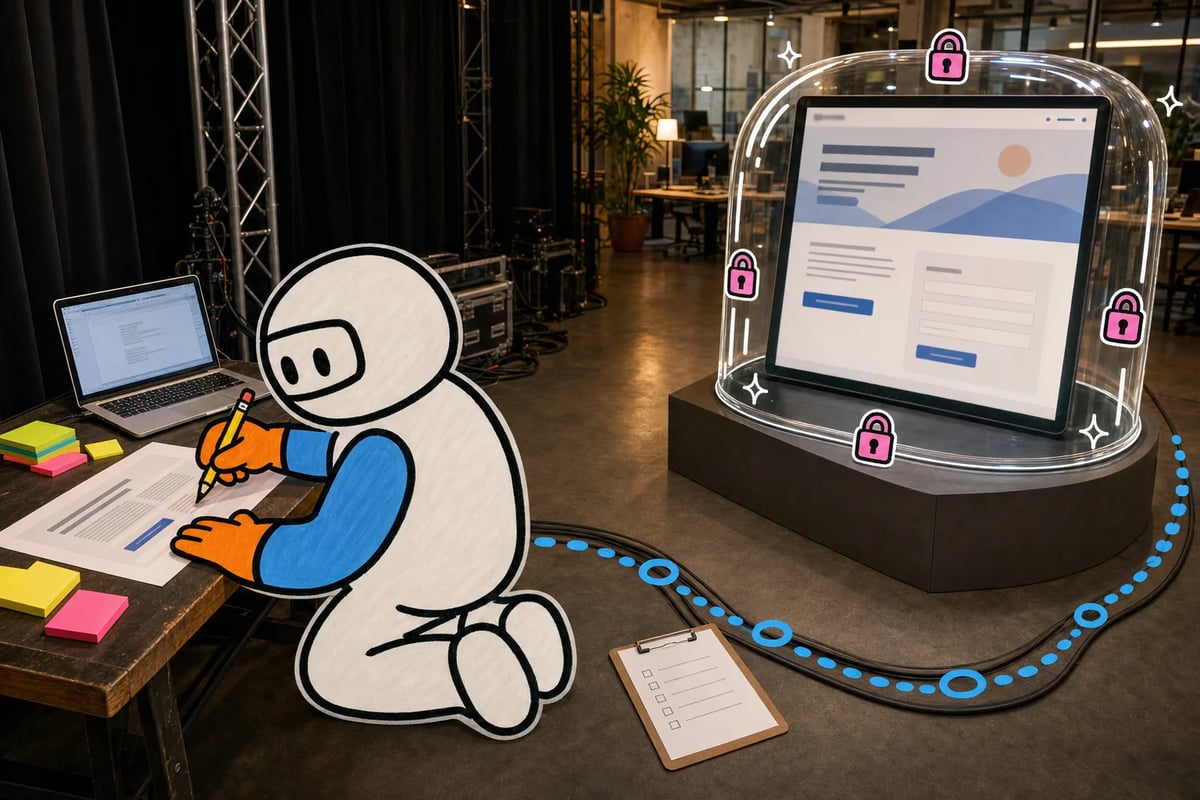
A diff is the before-and-after view. The agent shows you exactly what changed, line by line, before anything goes live. You do not need to read code like a developer. You are looking for the same things you would look for in a client approval doc: Did the headline change correctly? Did the CTA say the right thing? Did the agent touch only the webinar page? Did it leave the form alone? Did it sneak in a rewrite you did not ask for because it got “helpful” and briefly became the intern from hell?
This is where GitHub becomes less scary. GitHub is the review room. The agent packages the work into a commit, a saved checkpoint with a label like “Update January webinar hero copy.” Then it opens a pull request, or PR, which is the approval packet. The PR shows the changed files, the diff, the agent’s notes, and any checks it ran.
Some newer GitHub workflows are built for this pattern: a plain-language intent becomes a repository task, runs inside GitHub Actions, and uses coding agents such as Copilot CLI, Claude Code, or Codex to prepare changes in a controlled workflow. The marketer version is calmer: the agent does the file work in a contained place, and you still review the package before it joins the real site.
You read the PR. You preview the page if your setup gives you a preview link. You ask for one revision if needed: “The headline is right, but the subheadline feels too long on mobile. Shorten it without changing the meaning.” The agent updates the same branch and the PR refreshes. Same review room. Same paper trail.
When the work looks right, you merge it. Merge means you approve the branch and add its changes to the main version of the site. Depending on the setup, that may publish the change, or it may send it to another review step. Either way, the scary part already happened safely: the agent prepared the work, GitHub showed you the evidence, and you made the final call.
That is the loop: brief, branch, edit, diff, commit, PR, review, merge.
For a marketer, the skill is writing a clear assignment, keeping the agent inside the fence, and reviewing the change before it goes public. You already do the harder version with clients, founders, legal teams, and the mysterious stakeholder who appears 14 minutes before launch with “one small thought.”
Compared with that, a button label in a pull request is survivable.
Lab 2: Give the agent live SEO data, then make it show its work
This lab adds a second moving part: live SEO data connected to an editorial drafting workflow. The goal is to keep the agent grounded in real search evidence, use that evidence to shape a draft, and stop the whole thing at review, safely parked before anything gets published.
Picture a B2B SaaS client that wants a blog post about “sales pipeline hygiene.” You could ask ChatGPT for keyword ideas, but it may guess. For this workflow, you give the agent live search data first.
DataForSEO MCP is the agent’s access to that data. MCP means Model Context Protocol, a standard way for an agent to connect to outside tools. In marketer language, it is the adapter that lets your agent ask, “What are people searching for right now, what ranks, and which competitors show up?” The DataForSEO MCP Server is a TypeScript server that connects agents to DataForSEO data, including keyword research, SERP data, and competitor analysis.
So your brief sounds like this:
“Research a content opportunity around sales pipeline hygiene for B2B SaaS teams. Use live keyword and SERP data. Find one primary keyword, three supporting terms, the likely search intent, the top competing page patterns, and a recommended angle. Then pass the approved brief into our editorial workflow and produce a draft. Do not publish anything.”
That last sentence matters. Do not publish anything. We are still in safe territory.

Now CoAuthor enters the room. CoAuthor is an editorial system that runs a full content workflow through specialized agents. Treat it like a content team in a box: strategy, research, writing, visuals, and social threads can each have a role instead of one chat window trying to be your strategist, writer, editor, and slightly overconfident SEO person at the same time.
If CoAuthor is new on your machine, coauthor auth login connects the tool to your account. coauthor project create sets up a content project with a place for the brief, workflow, drafts, and outputs. You are creating the workroom, not writing the article yet.
If you use Claude Code, Codex, or Cursor, CoAuthor can install reusable agent skills. The command coauthor skills install claude / codex / cursor teaches your chosen agent environment how to follow CoAuthor’s editorial workflow. The CoAuthor CLI package has the CLI details, sparing us all from command soup.
Once the keyword direction is approved, coauthor workflow run --target draft --wait runs the editorial workflow until it produces a draft, with the terminal staying open until it is ready. The agent is working from the research brief, live keyword context, and workflow rules, not vibes.
Then coauthor draft get --format markdown gives you the draft in Markdown, a clean text format that works well for blogs, docs, and GitHub review. Markdown is just structured plain text. Headings look like headings. Links look like links. Nobody needs to wear a hoodie.
The final step brings us back to the safety frame from Lab 1. The agent puts the draft into your content repo on a branch and opens a GitHub pull request. The PR shows the article draft, metadata, internal links, and workflow notes. You review the angle, claims, examples, SEO fit, and brand voice before the draft becomes part of the main content system.
That is the loop: live SEO data, editorial agents, draft output, GitHub review.
The agent can move faster than a human researcher staring at sixteen tabs. You still decide whether the page deserves to exist.
Lab 3: Build a reusable marketing skill
Most agent workflows are one-off. You write the brief, explain the rules, paste the examples, remind the agent about the client voice, and then repeat the whole little ritual next week like some kind of content goblin.
A skill makes that workflow repeatable.
For this lab, use a weekly email broadcast. The agent’s job is to turn an approved blog draft into an email draft. Your job is to review, edit, and schedule it. The agent does the setup work. You keep control of the send button.
For example, if you use Kit as your email service provider, you can use the Kit API as the connection layer, letting an agent create a draft in your email platform without being able to send anything. Safety comes first. Capability comes second.
An API, here, is the approved doorway into your email platform. Instead of the agent clicking around your Kit account like a tiny caffeinated intern with a mouse, it sends a structured request: create a broadcast draft, use this subject line, use this body copy, apply this audience filter or tag, stop there.
Kit is one example. Other email platforms have APIs too. The principle is the same: let the agent prepare work, not publish it.
The reusable skill might say:
Use the approved blog draft as source material. Write one subject line and two alternates. Keep the email under 600 words. Include one plain-text CTA. Create the broadcast as a draft. Never schedule or send. Return the draft link and a short checklist for human review.
It can also store the boring-but-critical setup instructions the agent should not need to ask about every time: where the source draft lives, how to format links, which tags mark the audience, what tone to use, and what counts as a hard stop.

Environment variables belong here too. An environment variable is a private setting saved on your machine or in your agent workspace, usually for secrets like API keys. Instead of pasting your Kit API key into a chat, you save it under a name like KIT_API_KEY and the agent’s tool reads it when needed. The agent can open the doorway without seeing the key printed in the brief. Very unglamorous. Very good.
For Kit, the safest instruction is draft-only. Kit API V4 broadcast responses include draft status, and draft-safe workflows should be checked against the current create-broadcast fields before client work. Older V3 behavior allowed a draft by leaving send_at blank. The practical rule stays simple: the agent may create the broadcast draft, but scheduling and sending stay with a human.
That is the move. Build the process once, then let the agent run it.
The starter stack that is enough to begin
Your first agentic stack can stay small:
- Claude Code or Codex as the agent that plans, edits files, runs tools, and explains what changed.
- Cursor as the visual workspace where you can inspect files without feeling trapped in the terminal.
- GitHub as the safety layer for branches, commits, pull requests, review, and rollback.
- One MCP connection, such as the DataForSEO MCP server, when the workflow needs live keyword or SERP data.
- One reusable skill, saved as a plain instruction file, for repeat work like turning an approved post into a newsletter draft.
- Optional workflow tools like CoAuthor when you want a more structured editorial run instead of inventing the process every time.
Start with a weekly SEO content brief. Monday morning, you open the project, ask the agent to research one topic, pull live keyword data, draft the brief, and place it in a review branch. You read the diff, leave comments, approve what is useful, and reject what is off. Nothing publishes itself. Nobody gets a surprise homepage rewrite before coffee.
That is enough. You know the map now: agent, tools, repo, review, draft, human approval. You were not behind. You just needed the map.